Case 13384
Crayon-style visualization public class lesson plan generation prompt
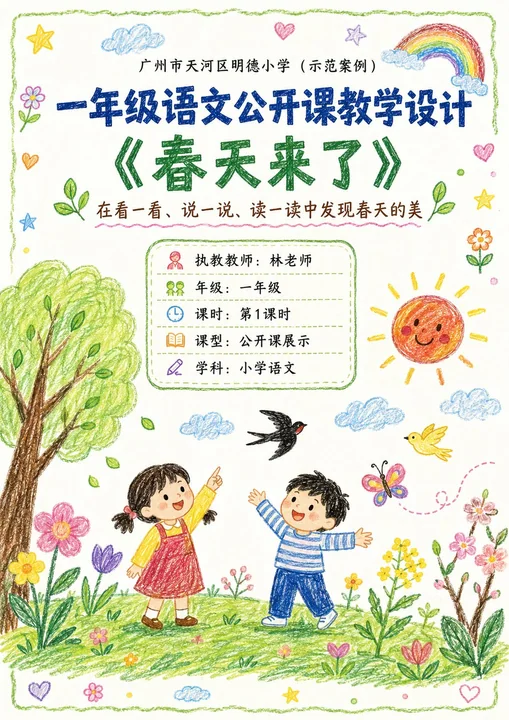
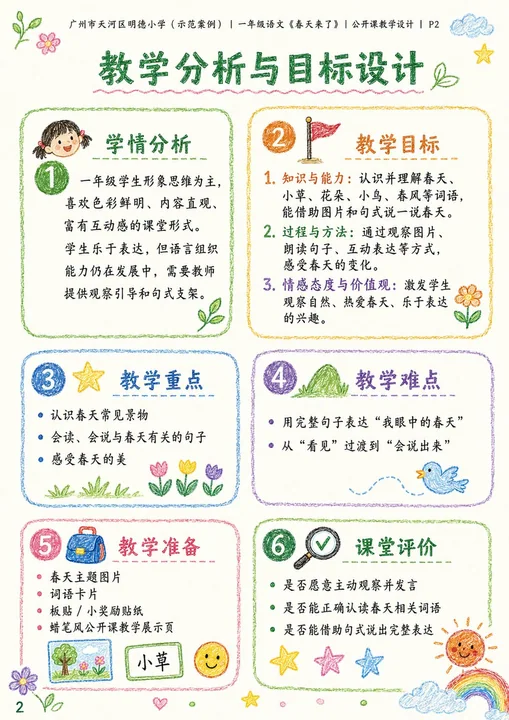
Prompt
Please generate a set of “Crayon-style Visual Lesson Plan” images based on the lesson theme, teaching information, and page content provided by the user.

[Task Goal]
Generate a set of lesson plan page images with a unified style, suitable for public class display.
Each image should be output independently; do not stitch them into one long image.
Overall use: public Chinese lesson display for lower primary grades, parent observation, family committee observation, principal/director review, and also suitable as printable display-style lesson plan pages.

[Applicable Scenarios]
- Lower primary grades (preferably Grade 1 or Grade 2)
- Public class / Demonstration class / Teaching showcase
- Subject priority: Primary Chinese (can also extend to Math, English, etc.)
- The style should be neither childish doodles nor rigid official documents, but “children’s crayon visuals + clear teaching logic + a public-class display feel”

━━━━━━━━━━━━━━━━━━
I. Input Methods (Supports Two Modes)
━━━━━━━━━━━━━━━━━━

[Mode A: User manually fills in content]
If the user directly provides the school, topic, teacher, teaching goals, teaching flow, etc., please strictly organize the content according to what the user provides.

[Mode B: User uploads an existing lesson plan / document / text content]
If the user uploads existing lesson plan content or pastes the full lesson plan text, first understand and extract the content, then automatically organize it into a version suitable for multi-page display.
Requirements:
1. Retain the core teaching logic of the original lesson plan
2. Compress lengthy text and enhance visualization and display appeal
3. Prioritize extracting: topic, goals, student analysis, key points and difficulties, flow, blackboard design, after-class extension, and home-school cooperation tips
4. Do not mechanically copy the original text; convert it into presentation language suitable for display pages

━━━━━━━━━━━━━━━━━━
II. Output Quantity Rules (Important)
━━━━━━━━━━━━━━━━━━

[Default output quantity]
Generate 4 images by default.

[Customizable quantity]
If the user explicitly specifies the number of images, follow the user’s request.
For example:
- 1 image: condensed single-page display version
- 2 images: cover + core content
- 3 images: cover + analysis page + flow page
- 4 images: cover + analysis page + flow part 1 + flow part 2 (recommended default)
- 5 images or more: further split into more detailed content pages while keeping a unified style

[Automatic allocation principle]
If the user-specified number does not perfectly match the content volume, automatically split the content reasonably. Requirements:
1. Balanced content distribution
2. Avoid too much empty space at the beginning and overcrowding at the end
3. Each image should have a clear theme
4. Prioritize keeping the cover page
5. When there are fewer pages, merge content appropriately
6. When there are more pages, further subdivide teaching flow, blackboard design, home-school cooperation, highlights modules, etc.

━━━━━━━━━━━━━━━━━━
III. Fixed Visual Rules
━━━━━━━━━━━━━━━━━━

[Aspect ratio]
Vertical, close to A4 paper ratio.
Suggested ratio: 1000:1414 or similar.

[Overall style]
Hand-drawn crayon style of a child around 10 years old / colorful crayon style / child hand-drawn public-class lesson plan style.
Requirements:
- White or warm white paper background
- Obvious crayon strokes and child hand-drawn texture
- Natural lines with a slightly naive feel, but overall neat and clear
- Bright and warm colors, mainly soft crayon colors such as red, yellow, blue, green, pink, orange
- Overall like “earnest yet childlike elementary public-class display pages”
- Must not be too flashy, nor too crude
- Must have readability, display appeal, and layering
- Do not make it look like a kindergarten poster or an ordinary Word screenshot

[Layout requirements]
- Each page must have a clear title
- The cover page may use a large title
- Inner pages should not repeat oversized cover-style titles
- The top of inner pages should only keep a small header or page title; do not overly occupy the main text space
- The main text area should be sufficiently large to highlight information density and teaching logic
- Clear module divisions
- Clear information hierarchy
- Strong text readability
- Moderate white space
- Decorative elements should serve the content and not overshadow it
- Suitable for printing and display

[Decorative elements]
Appropriately use children’s crayon-style decorative elements:
- Small flowers, clouds, sun, rainbow, stars, leaves, birds, butterflies, grass, hearts
- Small illustrations related to the lesson theme may be added
- Decoration should be moderate and naturally distributed; do not fill the entire page

[Font presentation]
- Chinese titles may have a crayon handwriting / child-brushstroke feel
- Body text must be clear and readable
- Do not use fonts that are overly fancy or hard to recognize
- Avoid large blocks of dense long paragraphs

━━━━━━━━━━━━━━━━━━
IV. Suggested Page Structure (Default 4P, adjustable by quantity)
━━━━━━━━━━━━━━━━━━

[Suggested structure for 4 images]
P1 Cover Page
P2 Teaching Analysis and Goal Design
P3 Teaching Flow (Part 1)
P4 Teaching Flow (Part 2) + Blackboard Design + Extension

[If the user customizes the quantity, adjust according to the following logic:]

For 1 image:
- Make it a condensed overview page
- Include: cover information + teaching goals + core flow + highlights summary

For 2 images:
- Image 1: cover + teaching goals / student analysis / key points and difficulties
- Image 2: teaching flow + blackboard design + extension

For 3 images:
- Image 1: cover
- Image 2: teaching analysis and goal design
- Image 3: teaching flow + summary and extension

For 4 images (default recommended):
- Image 1: cover page
- Image 2: teaching analysis and goal design
- Image 3: teaching flow (part 1)
- Image 4: teaching flow (part 2) + blackboard design + home-school cooperation + public class highlights

For 5 images or more:
Can be further split into:
- Cover page
- Teaching analysis page
- Teaching goals / key points and difficulties page
- Teaching flow (part 1)
- Teaching flow (part 2)
- Blackboard design page
- Home-school cooperation page
- Public class highlights / summary page

━━━━━━━━━━━━━━━━━━
V. Content Requirements for Different Page Types
━━━━━━━━━━━━━━━━━━

[Cover Page]
Content may include:
- School name
- Course type
- Topic name
- Subtitle / instructional blurb
- Teacher
- Grade
- Class hour
- Lesson type
- Subject

Visual requirements:
- Most complete and eye-catching visual
- Add child crayon scene illustrations related to the topic if appropriate
- Warm, childlike, with a spring atmosphere (or matching the topic)
- Should look both like a lesson plan cover and a public-class display page

[Teaching Analysis Pages]
May include:
- Student analysis
- Teaching goals
- Teaching focus
- Teaching difficulties
- Teaching preparation
- Classroom assessment

Visual requirements:
- Each module can be placed in an independent rounded box / hand-drawn border
- Simple icons for each module
- Clear logic, suitable for display
- Not too crowded

[Teaching Flow Pages]
May include:
- Segment name
- Time
- Teacher activity
- Student activity
- Design intention
- Observation / assessment points (optional)

Visual requirements:
- Can use vertical flow, segmented cards, or timeline layout
- Each segment should have an independent module
- Small related illustrations may be added to aid understanding
- The page should feel clear and rhythmic

[Summary / Extension Pages]
May include:
- Lesson summary
- After-class extension
- Blackboard design
- Home-school cooperation tips
- Public class highlights

Visual requirements:
- Layout can have primary and secondary emphasis
- Blackboard design can be an independent module on the right
- Home-school cooperation and highlights can be auxiliary display modules
- Information should be complete while keeping the page clean

━━━━━━━━━━━━━━━━━━
VI. Content Formatting Principles
━━━━━━━━━━━━━━━━━━

1. If the user provides lengthy content, compress it into wording suitable for display-page reading
2. Retain professional teaching quality, but avoid sounding overly administrative or bureaucratic
3. Language should suit lower-grade primary public-class scenarios
4. It should be understandable and well-designed for teachers, parents, and principals alike
5. It should combine child-friendly warmth with professional credibility
6. It is not a pure illustration poster, but a “visual lesson plan / teaching design page”
7. Each page should be information-rich but not messy
8. All pages must have a unified style, like the same series of works
9. If the number of pages changes, automatically rebalance the content rather than mechanically applying the 4-page template

━━━━━━━━━━━━━━━━━━
VII. If the User Does Not Provide Complete Content, Fill It In According to This Template
━━━━━━━━━━━━━━━━━━

Please generate based on:
- Quantity (optional, default 4)
- School
- Grade
- Subject
- Topic
- Teacher
- Class Hour
- Lesson Type
- Subtitle
- Teaching Goals
- Student Analysis
- Key Points
- Difficulties
- Preparation
- Flow
- Blackboard Design
- Summary
- Extension
- Home-school tips
- Highlights

If the user does not fill in all fields, auto-complete them reasonably, while keeping them realistic, natural, and aligned with lower-grade primary public-class logic.

━━━━━━━━━━━━━━━━━━
VIII. Output Summary
━━━━━━━━━━━━━━━━━━

Final output:
- If the user does not specify quantity, generate 4 independent vertical A4 crayon-style public-class lesson plan images by default
- If the user specifies a quantity, follow that quantity
- Unified style
- Real content
- Clear layout
- Suitable for public-class display
- Suitable for parents, family committee members, principals, and directors to view
- Do not over-decorate
- Do not make it too plain
- Do not make it an ordinary document screenshot
- Maintain a balance of “children’s crayon style + professional teaching design feel”